

If you need to trigger test execution from outside our app, you can do it with a cURL command. You can retrieve it conveniently with prefilled parameters from within the app by selecting start via terminal from the run all active button dropdown on test reports page:
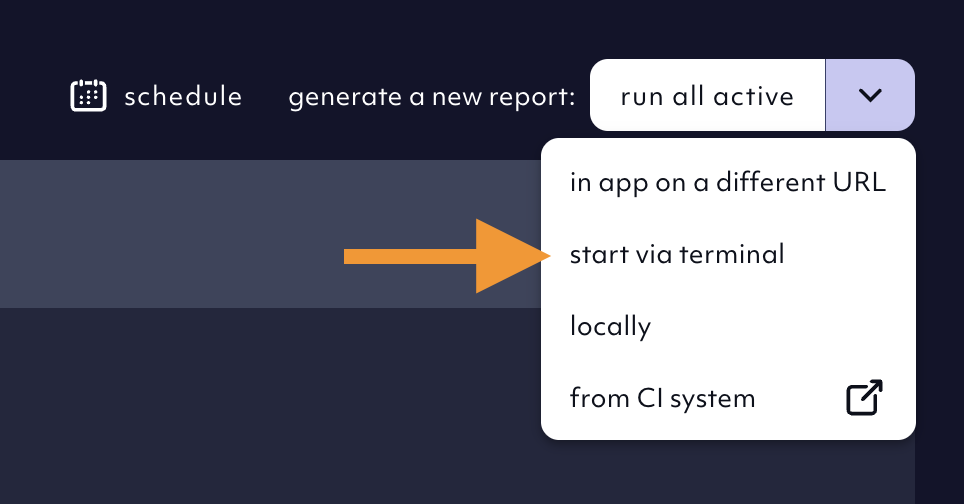
Run your test suite from your terminal using curl command

Run your test suite from your terminal using cURL command, 05/2025
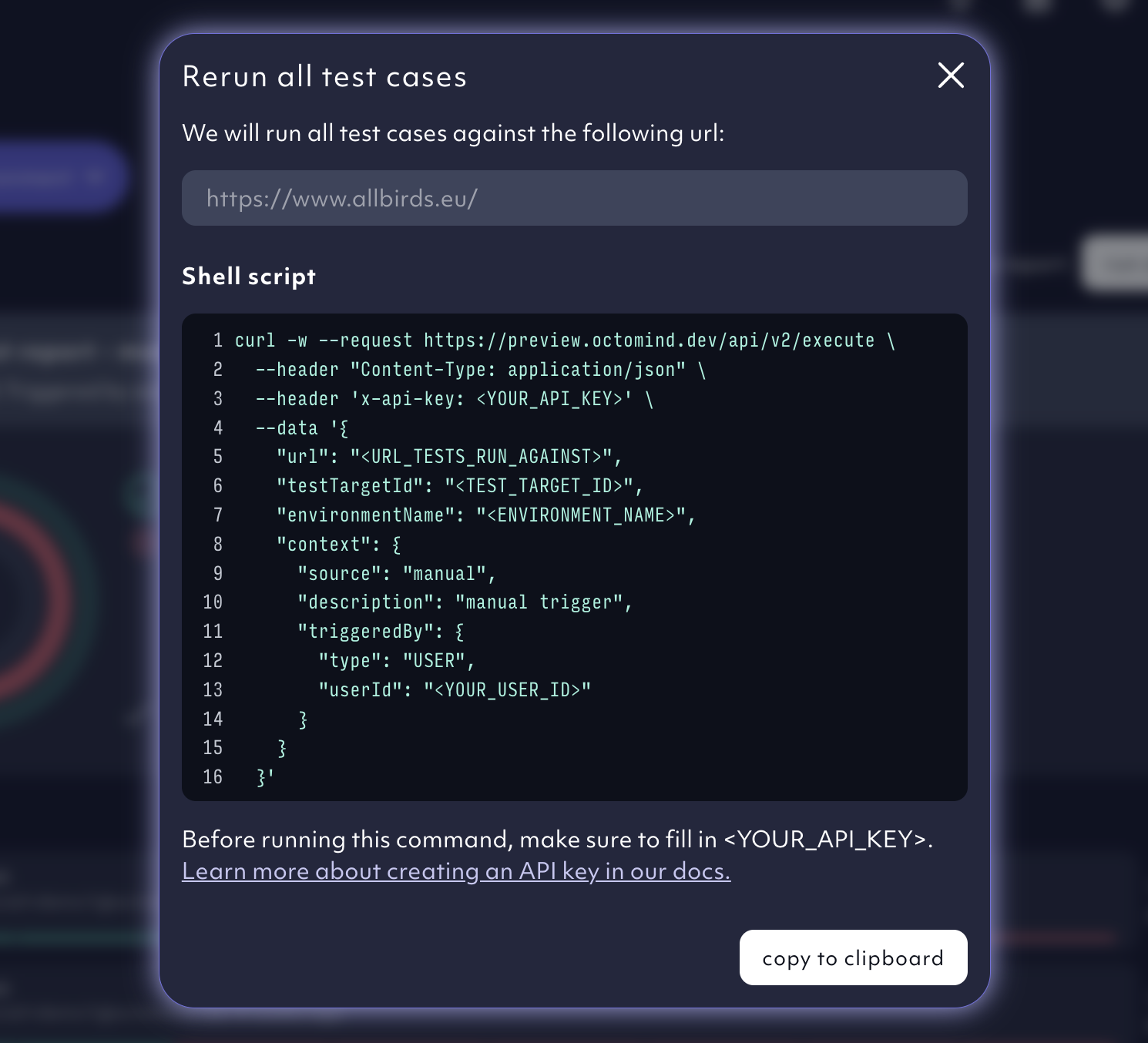
cURL command to run your test suite

cURL command to run your test suite, 05/2025

The command will return a response with a link to your test report and some other information, see the API Reference.
{ "testReportUrl": "https://app.octomind.dev/testreports/<some-id>",
  "testReport":  { "id":  "<someUUID>", "status": "<WAITING|PASSED|FAILED>"}
}
If you follow this link, you can find the test report containing all test results of your execution.

Parameters

See API Reference

Blocking your pipeline

You can block your pipeline by polling the resulting test-report until the status is “PASSED” with a call to the test report API - see our API Reference. See the API Reference or a reference implementation in our Github Action

Create an API key

Watch this this video for more insight on how to run Octomind tests: